If you search for the best screen time app for iPhone, most recommendations point you toward limits, reports, blockers, or focus timers. Those can help, but they often miss the bigger question: what kind of phone time are you trying to have?
One hour of scrolling is not the same as one hour of learning. A screen time app should help you reduce the habits that drain you while protecting useful phone time for reading, studying, notes, planning, communication, navigation, and the parts of life your phone genuinely supports.
Reviewed September 28, 2026. This guide compares each approach by the behavior it changes, the amount of friction it adds, and how well it keeps useful iPhone activity practical.
Scope
Choose for your own iPhone, not a child's device
Search results for this topic mix adult habit support, Apple's built-in controls, and parental-control apps. This guide focuses on adults managing their own device. If you are choosing for a child, start with Apple's family Screen Time guidance and assess parental-control tools separately.
Short answer
The best screen time app helps you change the pattern, not just count the minutes
Apple Screen Time is a good built-in baseline. Traditional blockers can make access harder. Pause tools can interrupt automatic openings. Timo is different because it is built around better phone time: reducing distracting app use while increasing useful, intentional phone use.
How we evaluated iPhone screen time apps
This is not a ranking based on who blocks the most apps. We compared the main approaches using five practical questions:
What moment does it change?
Some tools report what happened, some block access, and some interrupt the automatic tap before the app opens.
How easy is it to override?
Useful friction should slow an impulsive opening without making maps, messages, banking, calendars, and other essentials frustrating.
Does it fit real routines?
A screen time system needs to work across study, work, bedtime, short breaks, and the many useful tasks that still happen on an iPhone.
Does it show honest trade-offs?
No single tool is best for everyone. We identify when Apple's built-in controls, a strict blocker, a pause tool, physical friction, or Timo is the better fit.
Can it support better phone time?
Reducing feeds matters, but the strongest system also makes room for reading, learning, studying, planning, notes, and deliberate communication.
How to read this comparison
Timo publishes this guide and is one of the products compared. We do not receive affiliate commissions for the other apps listed here. The comparison uses public product information, Apple's current iOS 27 Screen Time guide and iOS 26 Screen Time guide, and real Timo product screens. It compares approaches rather than claiming that one app is universally best.
Start with the Screen Time controls already on your iPhone
Apple's Screen Time labels depend on your iOS version. The current iOS 27 guide describes Screen Time Schedule and Time Allowances alongside activity reports and content restrictions. Apple's iOS 26 guide uses the familiar Downtime and App Limits labels. Check Settings > Screen Time and match any instructions to your installed iOS version before downloading another app.
This comparison is for adults managing their own phone habits. If your main goal is supervising a child's device, Apple's family controls or a dedicated parental-control service is a better starting point. If you are comparing free built-in controls with a paid third-party app, start with the behavior you need to change, not only the number of minutes you want to reduce.
Best screen time apps for iPhone in 2026, compared by goal
Apple Screen Time
Best if you want free built-in reports, schedules, limits, content restrictions, or parental controls without installing another app. Labels vary by iOS version. Trade-off: its limits can be easy to override for adults managing their own habits.
Opal or Jomo
Best if your main goal is to block distracting apps during work, school, sleep, or focus sessions. Trade-off: stronger blocking can be more friction than you need for useful apps.
one sec
Best if you want a short interruption before social apps open, so automatic taps become more deliberate. Trade-off: a pause is gentler than a hard block.
Brick
Best if you want a physical object or NFC routine to make distracting apps harder to unlock casually. Trade-off: the system depends on keeping the physical routine practical.
Timo
Best if you want less passive scrolling and more useful screen time for learning, reading, studying, planning, notes, and progress. Trade-off: an active Pro subscription is required to use Timo's app features.
Why a lower screen time number is not always the right goal
Screen time is easy to measure, so many apps treat the total number as the main problem. That is useful when the number is wildly high, but it can also hide what actually matters.
A day with 90 minutes of reading, language practice, messages, maps, and notes can be healthier than a day with 45 minutes of frantic social scrolling. The total number matters less than the pattern.
That is why the best screen time app for iPhone should help answer two questions: what phone use do you want less of, and what phone use do you want more of?
What to look for in an iPhone screen time app
It separates distracting and useful phone time
Look for a system that does not treat learning, reading, studying, and navigation the same as endless feeds.
It changes the moment before access
Reports after the fact are helpful, but habits often change at the moment before you open the app.
It helps you decide why you are opening
A reason and a time limit can turn an automatic unlock into a more intentional session.
It keeps essentials practical
Messages, maps, calendar, banking, and utilities often need to stay usable, or the system becomes too annoying to keep.
It supports what you want to grow
The goal should not stop at less scrolling. The best system also helps you build more useful phone time.
How Timo fits this category
Timo is not just a screen time counter. It is built around the idea that the goal is better phone time, not simply less phone time.
Reduce distracting app use
Choose the apps and categories that pull you into autopilot, then make access harder to start without intention.
Increase useful screen time
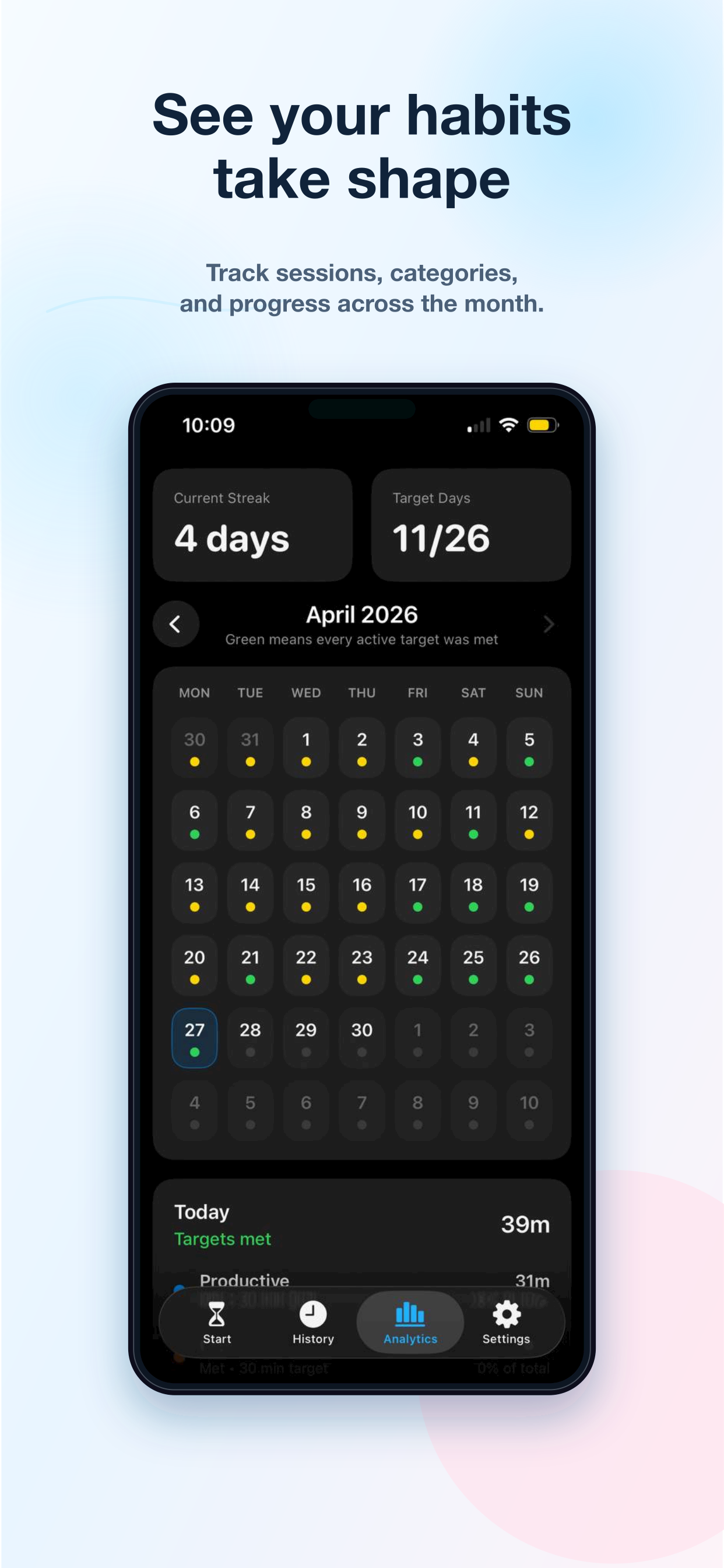
Set targets for the phone time you want more of, like learning, reading, studying, notes, planning, or language practice.
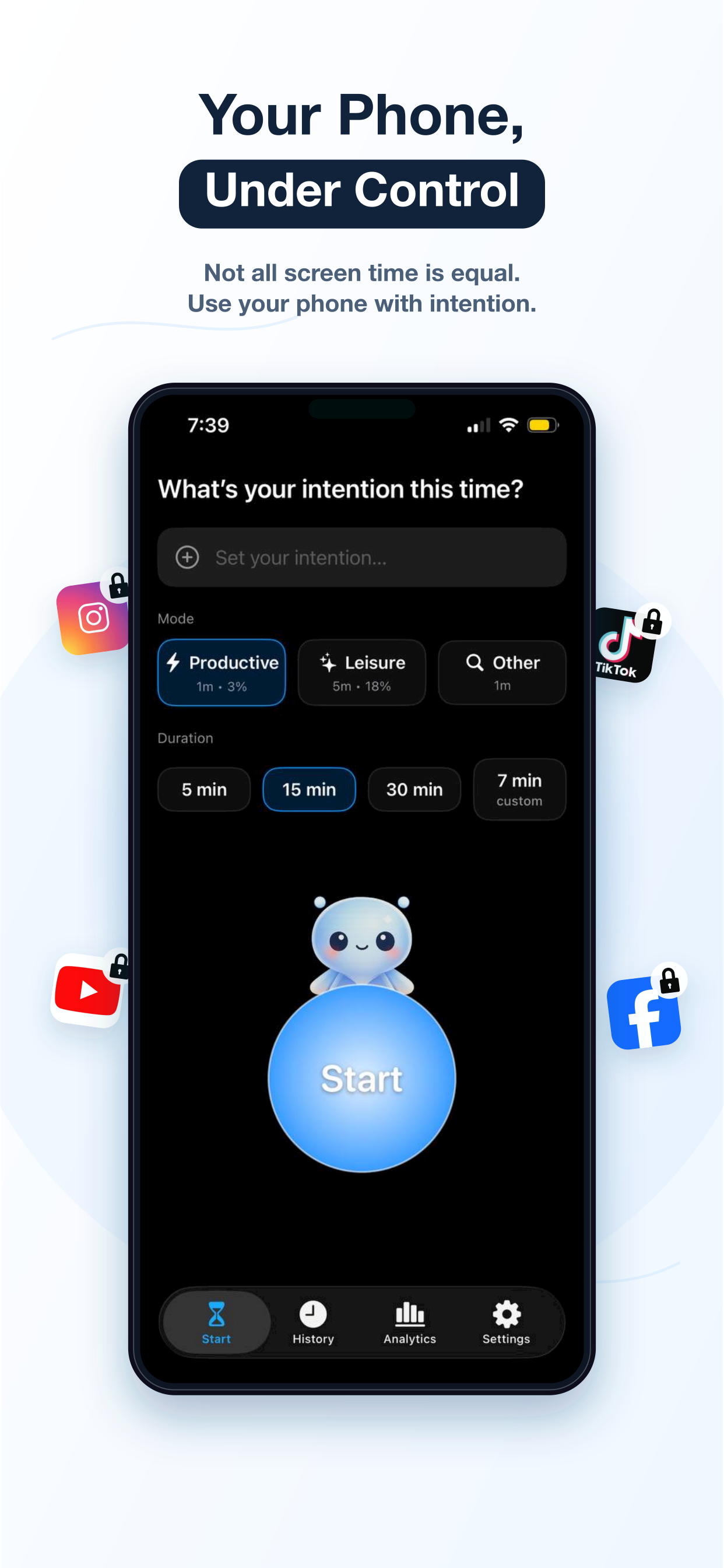
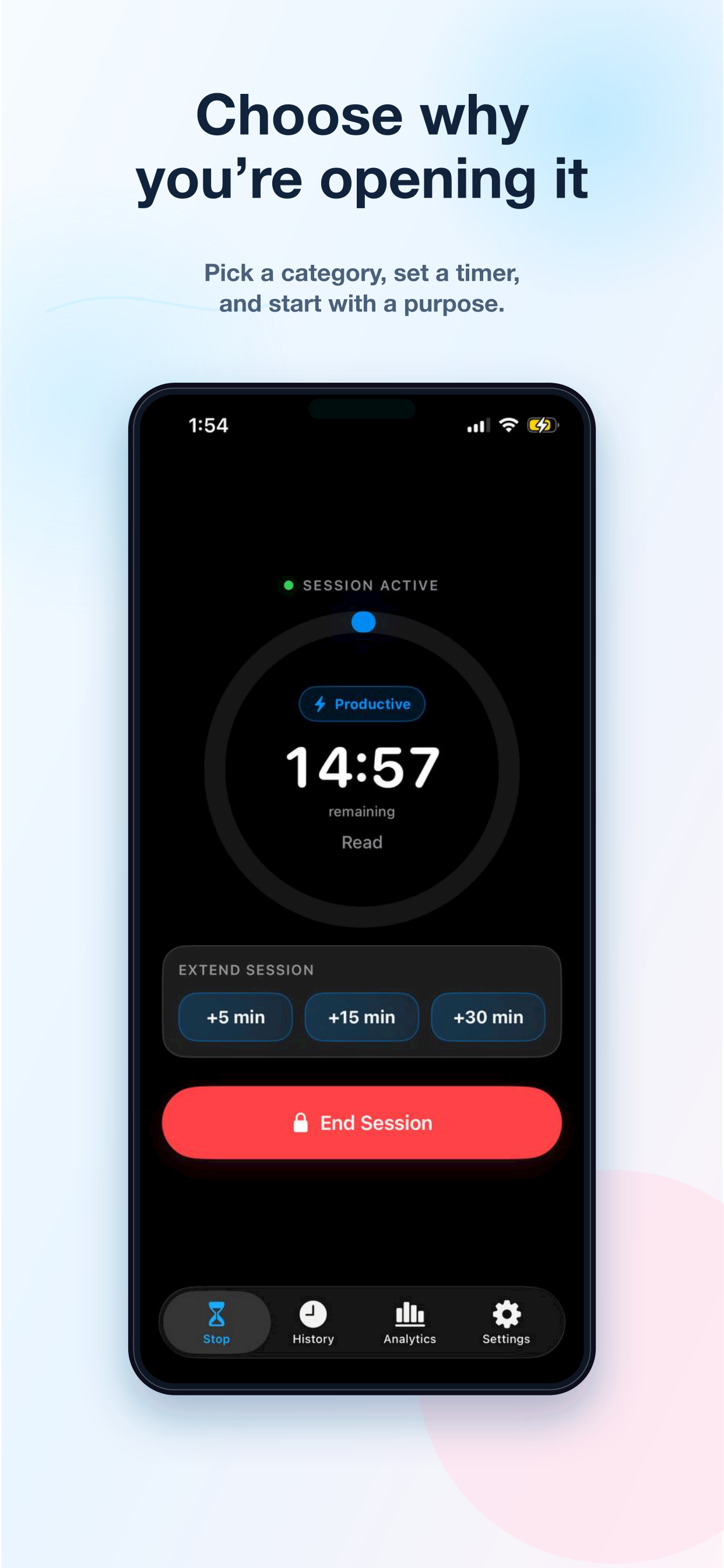
Start with a reason and duration
Before access opens, choose why you are opening and how long the session should last.
Use productive apps intentionally too
Even useful apps can become automatic. Timo can put productive apps behind intention when that helps.
See how Timo changes the unlock moment
These are real Timo product screens. The flow starts with a reason, puts distracting access behind a clearer boundary, and tracks the useful phone time you want to build.
When Apple Screen Time or a strict blocker is better
Apple Screen Time may be enough if you only need simple app limits, activity reports, downtime, or family controls. It is already on the iPhone, it costs nothing extra, and it works well as a baseline.
A stricter blocker may be better if the goal is to make certain apps almost impossible to open during work, school, sleep, or family time. If you need that kind of hard boundary, compare options in the best app blocker for iPhone guide.
Timo is strongest when the problem is more nuanced: you still need your phone, but you want fewer draining loops and more useful phone time.
Bottom line
Do not only ask how much screen time you had. Ask what that time became.
A better screen time app should help you reduce the phone use you regret and increase the phone use that supports your day.
Download on the App Store Use the Phone Time AuditQuestions people ask
What is the best screen time app for iPhone in 2026?
The best screen time app for iPhone depends on your goal. Apple Screen Time is a useful built-in starting point, app blockers help with stricter access, pause tools help with automatic openings, and Timo is built for better phone time, not just a lower screen time number.
Is Apple Screen Time enough?
Apple Screen Time is enough for some people who only need simple limits, downtime, reports, or parental controls. If you keep overriding limits or want to replace scrolling with useful phone time, you may need a more intentional system.
Should the goal be less screen time?
Not always. Less passive scrolling is usually good, but useful phone time for reading, learning, studying, notes, planning, maps, banking, and communication should not be treated the same as draining loops.
Does Timo require a subscription?
Timo requires an active Pro subscription to use its app features. Subscription details, pricing, and any trial information are shown before purchase through Apple's In-App Purchase system.
Is this guide for adults or parental controls?
This guide is for adults choosing a screen time app for their own iPhone. If you need to supervise a child's device, use Apple's family and parental-control guidance or compare dedicated parental-control services instead.
Is there a free screen time app for iPhone?
Yes. Apple Screen Time is built into iPhone and includes reports, schedules, and limits without installing another app. Third-party apps vary in pricing and features. Timo requires an active Pro subscription to use its app features.